

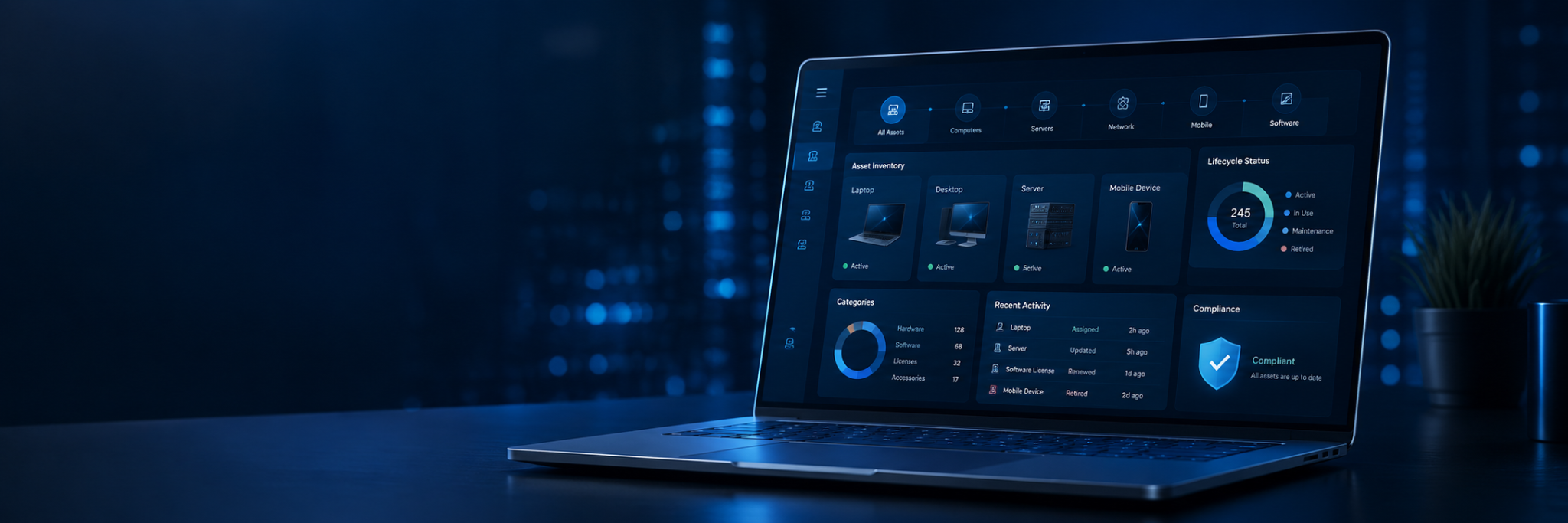
As businesses scale, their technology environments often become harder to track. Laptops get reassigned, software subscriptions renew quietly in the background, cloud services expand, and aging network hardware fades from view. Before long, even the most diligent IT teams may struggle to answer some fairly basic questions: What do we actually own? Who is using it? Is it still secure? Are we paying for tools that no longer serve us?
That is where IT asset management comes in. It gives businesses a structured, reliable way to track, manage, and optimize the technology they rely on every day.
Key takeaways
- IT asset management helps businesses track hardware, software, cloud resources, and related costs throughout the entire lifecycle.
- A well-maintained asset inventory gives teams clearer visibility into ownership, usage, condition, and risk.
- Hardware asset management, software asset management, and cloud asset management each play an important role in controlling cost and reducing risk.
- Accurate records help with license compliance, vendor renewals, budgeting, security planning, and support requests.
- The right IT asset management software and processes help businesses automate tracking, improve data quality, and make informed decisions.
What is IT asset management?
IT asset management (ITAM) is the practice of tracking and managing every piece of technology a business owns, uses, leases, subscribes to, or controls. It gives them a clear, reliable picture of their technology landscape, helping answer questions, such as:
- Which laptops, servers, and mobile devices are currently in use?
- Who is responsible for each asset?
- Which software licenses are active?
- Which applications are no longer used?
- What assets are approaching end-of-life?
- Which systems pose potential security risks?
- How much does each asset cost over time?
An effective IT asset management process tracks every asset from procurement through retirement, capturing key details such as asset ownership, location, configuration, warranty, lifecycle status, usage, support history, and renewal dates.
The goal isn’t to generate paperwork for its own sake. It’s to equip businesses with accurate, actionable asset data so they can plan ahead, support users effectively, keep costs under control, and confidently manage risk.
What counts as an IT asset?
IT assets include any technology resource that supports people, systems, or business processes. They generally fall into four categories:
Hardware assets
Hardware assets refer to physical devices, including desktop computers, laptops, monitors, servers, phones, tablets, printers, firewalls, switches, and other networking equipment.
Because physical devices can be lost, damaged, reassigned, or become outdated, regular asset tracking is essential. Without it, businesses risk paying for equipment that is no longer in use or failing to replace aging hardware before it begins to affect productivity.
Software assets
Software assets cover applications, subscriptions, operating systems, and license agreements. Common examples include productivity tools, accounting systems, security platforms, collaboration apps, customer management systems, and specialized business software.
Tracking software systems carefully matters because unused subscriptions and duplicate tools can quietly inflate costs. Poor license management can also expose organizations to compliance risk during software audits or vendor reviews.
Cloud and virtual assets
Modern businesses increasingly depend on cloud resources and virtual infrastructure. These cloud-based assets may include virtual servers, storage, backups, hosted applications, and Software-as-a-Service subscriptions.
Effective cloud asset management helps businesses understand which services are active, how they are being used, and whether spending reflects actual needs. Without proper visibility, cloud costs can escalate quickly and become difficult to justify.
Digital and service-related assets
Digital assets can include files, media, templates, documentation, credentials, and other resources that keep operations running smoothly.
In more sophisticated environments, digital asset management may also connect to broader IT service management and configuration management practices. For example, a configuration management database can link devices, software, users, services, and dependencies so the IT team understands how one change may affect another part of the business.
The IT asset lifecycle stages
The IT asset lifecycle tracks an asset from the moment it’s requested to the moment it’s retired. Managing that journey is known as IT asset lifecycle management.
For IT teams, this process is important because technology evolves quickly. Devices age, licenses renew, cloud platforms scale, and business needs shift. Staying on top of each stage helps teams reduce risk, control costs, and make smarter decisions.
A typical IT asset lifecycle includes the following stages.
Request and approval
The IT asset lifecycle begins when a user, department, or project requests a new asset. A structured approval process helps determine whether the asset is really needed, whether budget is available, and whether the request aligns with current standards. Getting this step right prevents unnecessary spending and ensures new assets enter the business with proper documentation from the outset.
Purchase and deployment
Once approved, the asset is purchased, configured, secured, and assigned to the relevant user or team. Deployment records should capture key details, including ownership, location, warranty, configuration, and support contacts.
Thorough inventory management at this stage prevents problems down the line. Assets that enter the business without proper documentation can become difficult to support, secure, or recover when issues arise.
Use and maintenance
Throughout its working life, an asset requires regular updates, monitoring, support, and cost review. The IT team should track performance, user assignments, license status, and any changes over time.
Asset management tools, automated discovery, and other automated workflows keep records accurate and up to date as assets move between users, change configuration, or connect to new systems.
Renewal, replacement, or optimization
As assets age, teams must decide whether to renew, replace, upgrade, or retire them. Accurate asset data makes these decisions easier, helping teams assess whether an asset still delivers value and continues to meet business needs.
For software, this might mean reclaiming unused licenses or renegotiating vendor contracts. For hardware, it may involve replacing aging devices before they fail or reallocating equipment where it can still serve a purpose.
Retirement and disposal
The final stage involves removing the asset from service entirely. A proper retirement process should include data wiping, license recovery, disposal, recycling, documentation updates, and confirmation that access has been revoked.
A well-documented retirement process helps reduce risk and prevents businesses from paying for unused technology.
Why IT asset management matters
A business cannot manage what it cannot see. When asset information is incomplete or outdated, teams are often forced into reactive mode. A well-structured IT asset management system enables businesses to enjoy these benefits:
Better cost control
Technology spending tends to creep upward when tools are purchased without proper oversight. One department may buy software that another already uses. Subscriptions may auto-renew long after users have stopped logging in. Devices may be replaced before anyone checks whether an existing asset could simply be reassigned.
A comprehensive asset management process helps businesses track the total cost of each asset, from purchase and ongoing maintenance to support and eventual disposal. With better visibility into asset usage, asset utilization, and renewal timelines, they can optimize asset spending and avoid unnecessary purchases.
Stronger security and risk management
Untracked assets introduce risk. An old laptop may miss critical security updates. A dormant account may still have access to sensitive company data. An unsupported application may carry known vulnerabilities. A forgotten cloud service may be storing files outside a business’s normal controls.
ITAM strengthens risk management by giving organizations visibility into what exists across the environment. With accurate asset data, they can identify outdated systems, confirm patch status, revoke unused access, and reduce exposure.
A reliable asset inventory also supports faster incident response. If a device is compromised or flagged for suspicious activity, businesses can quickly see who owns it, what software is installed, and which systems it connects to.
Improved compliance management and audit readiness
Most businesses need to demonstrate that their software, data, and systems are properly controlled. ITAM makes this easier by maintaining organized asset records, license details, and ownership information.
Clear, accurate records support license compliance, reduce vendor disputes, and make audits far less disruptive. They also help align technology use with internal policies, vendor agreements, and security requirements.
More informed decisions
Good decision-making starts with reliable information. When leadership has a clear picture of what assets are in use, what they cost, and where risks lie, planning becomes more straightforward and strategic.
Strong asset data can effectively guide asset purchases, refresh cycles, cloud planning, security priorities, and long-term infrastructure investments. It also helps IT teams communicate technology needs in concrete business terms, rather than relying on estimates or guesswork.
What does effective IT asset management look like?
ITAM is an ongoing process, not a one-time fix. A spreadsheet might suffice in the early stages, but as businesses grow, they need stronger processes and more capable tools.
A complete and accurate asset inventory
A reliable IT asset inventory is the foundation of effective ITAM. It should include physical assets, software, licenses, cloud services, and virtual systems.
Many businesses combine manual review with automated discovery tools that can scan networks and connected systems to identify devices, applications, and configurations. While automated discovery improves accuracy, people still need to verify ownership, usage, and business context.
Clear ownership and accountability
Every asset should have an owner, whether that’s an employee, a department, a project, or a system owner. Clear ownership reduces confusion when assets require support, renewal, replacement, or secure disposal. Without it, changes in asset status, location, and usage often go undocumented, causing records to become outdated over time.
IT asset managers and leaders also need well-defined responsibilities to keep information accurate and decisions moving.
Centralized tools and reliable reporting
An IT asset management platform or ITAM software gives businesses a scalable, structured way to manage assets. The best solutions support tracking assets, reporting, license visibility, lifecycle planning, and integration with other business systems.
Modern IT asset management software can connect with service desks, monitoring tools, procurement systems, and cloud platforms, creating a centralized platform for asset visibility across the business. For growing organizations, this offers far greater control than relying on disconnected spreadsheets. The right IT asset management software can also support automation, reminders, approvals, and audit preparation.
Integration with IT service management
ITAM works best when it is integrated with IT service management. When a user submits a support ticket, the IT team should be able to see the affected device, installed software, warranty status, and recent changes. This connection improves both the speed and accuracy of support delivery. It also aligns with the principles of the IT infrastructure library, which encourages structured service delivery, clear documentation, and stronger control over IT operations.
Consistent policies and workflows
Technology assets should follow standardized procedures across their entire lifecycle, from request and approval through to deployment, support, renewal, and retirement. Consistent workflows improve data quality and reduce the risk of errors, and enable asset management to remain reliable as the organization scales.
Build a clearer IT environment with Transparent Solutions
Strong IT asset management helps your business control costs, improve security, support compliance, and make better technology decisions. It gives your team the visibility needed to manage growth instead of reacting to problems after they appear.
Transparent Solutions helps mid-sized Vancouver businesses regain clarity and control over complex IT environments. Through managed IT services, IT consulting, cloud services, network assessments, and disaster recovery planning, our team can help you identify what you have, where gaps exist, and which improvements will provide the most value. That may include improving hardware asset management, reviewing software asset management, strengthening cloud asset management, cleaning up asset records, assessing lifecycle status, and aligning technology planning with business goals.
Improve visibility into your technology assets and build a more reliable IT foundation with help from our IT experts. Partner with us today.